
AI chatbots are becoming a practical part of websites, not just an extra feature added to the homepage.
But integrating an AI chatbot is not the same for every website.
A WordPress website works differently from a Shopify store. A Laravel application has a different backend structure than a React or Next.js website. A custom-built website may also need a completely different approach depending on its APIs, database, authentication system, and existing software architecture.
So, before choosing a chatbot solution, businesses need to understand how it will connect with the technology behind their website.
How AI Chatbot Integration Works
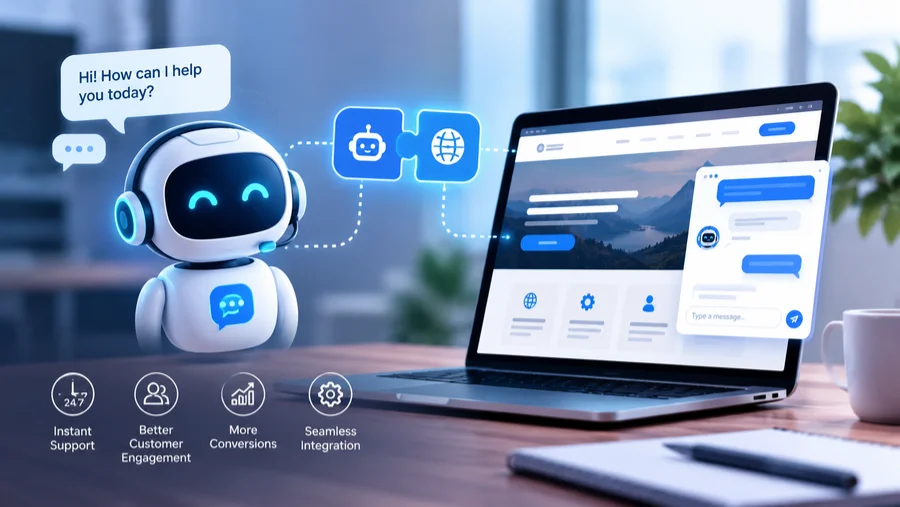
Most AI chatbot integrations have three main layers.
The first is the chat interface that visitors see on the website. This can be a floating widget, embedded chat window, or completely custom interface.
The second is the backend or integration layer. It receives the user’s question, sends the required information to the AI system, retrieves business data when needed, and controls what the chatbot is allowed to access.
The third is the AI layer, which generates the response. Depending on the project, this can also include a knowledge base, RAG system, vector database, APIs, or business rules.
For example, a customer asking, “Where is my order?” should not receive a generic AI-generated answer. The chatbot needs to identify the customer, access the order system, retrieve the latest status, and then return the relevant information.
Also Read: What Are The Most In-Demand Frameworks For Web Development?
The exact way this connection is built depends heavily on the website’s technology.
WordPress Websites
WordPress is one of the easier platforms for chatbot integration because businesses can use plugins, custom development, or external chatbot services.
For a basic chatbot, a WordPress plugin can add the chat interface without changing much of the existing website. The chatbot can then be connected to website content or a separate knowledge base.
For more advanced requirements, developers can use the WordPress REST API to connect the chatbot with website content and custom functionality. WordPress provides REST API endpoints for accessing resources and also allows developers to create custom endpoints.
This becomes useful when a business wants the chatbot to understand specific pages, blog posts, products, forms, or other custom content.
For example, a WordPress website for a software company could use the chatbot to answer service-related questions, qualify visitors, and send lead information to a CRM.
So, WordPress projects can often start with a plugin and move toward custom API-based integration when the requirements become more complex.
Shopify Websites
Shopify requires a different approach because the chatbot may need access to store-specific information such as products, inventory, orders, customers, and checkout-related workflows.
A basic chatbot can be placed on the storefront using an app or custom storefront integration. But if the chatbot needs to provide real-time product or order information, it needs to communicate with Shopify’s APIs.
Shopify’s developer platform provides APIs for reading and writing store data, including products, orders, customers, inventory, and metafields. It also provides app extensions that allow functionality to appear in different Shopify interfaces.
For example, a customer could ask, “Do you have this shoe in size 9?” Instead of relying on information stored in the chatbot’s knowledge base, the integration can check current store data and provide a more accurate response.
For larger Shopify stores, a custom-built chatbot can connect the conversational experience with product search, customer accounts, order tracking, and other business systems.
Magento Websites
Magento and Adobe Commerce websites usually require a more backend-focused integration because the chatbot needs to work with product catalogs, customer accounts, orders, pricing, inventory, and other commerce data.
A chatbot can be added to the frontend while the backend handles communication between the AI service and Magento APIs or custom modules.
This approach is more suitable than simply connecting a generic chatbot to website pages when the chatbot needs access to live store information.
PHP and Laravel Websites
PHP websites can vary considerably because some are simple custom applications while others use frameworks such as Laravel.
For a Laravel application, developers can integrate the chatbot through backend routes, controllers, APIs, authentication systems, and database connections.
This gives businesses much more control over what the chatbot can access.
For example, a membership website could allow an authenticated customer to ask about their subscription, account activity, invoices, or service requests. The Laravel backend can verify the user’s identity before allowing the chatbot to retrieve account-specific information.
This is also where RAG can become useful. Instead of sending an entire business database to an AI model, the system can retrieve relevant information and provide only that context to the model.
React and Next.js Websites
React and Next.js websites require a more customized frontend integration.
Developers can build the chatbot directly into the application’s interface rather than relying on a standard third-party widget. This makes it possible to match the chatbot with the website’s existing design and user experience.
The frontend can communicate with backend APIs that handle AI requests, authentication, database access, and other business logic.
Next.js can also support server-side functionality, which can help keep sensitive API keys and business logic away from the browser.
This approach works particularly well for SaaS platforms and web applications where the chatbot needs to understand the user’s current page, account, subscription, or application data.
Angular Websites
Angular websites can use a similar architecture, with the Angular application handling the chat interface and a backend service handling AI communication.
The important part is keeping sensitive operations on the server instead of exposing AI credentials directly in the browser.
An Angular-based business application could connect the chatbot to its existing REST APIs, databases, CRM, or internal systems. The chatbot can then become another way for users to interact with information that already exists inside the application.
For example, instead of searching through several screens to find a report, an authenticated user could ask the chatbot for the information and receive the relevant result.
Node.js Websites
Node.js is particularly useful when a website already uses JavaScript across its frontend and backend.
Developers can build chatbot APIs using the existing Node.js backend and connect them with AI models, databases, third-party services, and internal APIs.
This can also make it easier to manage real-time conversations and application-specific workflows.
For example, a Node.js eCommerce platform could allow a chatbot to search products, check inventory, retrieve customer information, and create support requests through existing backend services.
The key advantage is that the chatbot becomes part of the application’s existing architecture instead of operating as a completely separate tool.
Custom AI Chatbot Development for Complex Websites
Not every website needs a custom AI chatbot. A small business website with a few common questions can use a ready-made chatbot connected to a basic knowledge base.
However, custom AI chatbot development becomes more useful when the chatbot needs to work with proprietary data, business systems, complex workflows, or multiple APIs.
A custom solution can be designed around the website’s specific requirements.
For example, a business may want its chatbot to:
- Search internal documents
- Retrieve customer information
- Connect with CRM and ERP systems
- Recommend products
- Qualify leads
- Schedule appointments
- Create support tickets
- Escalate conversations to employees
The development team can also use technologies such as RAG to let the chatbot retrieve relevant information from business documents before generating an answer.
This gives the business greater control over what information the chatbot can access and how it responds.
Final Thoughts
AI chatbot integration depends on the website’s technology, users, and business goals. Businesses can then choose the right AI model, data, APIs, security, and human support to create a chatbot that genuinely fits the website.